STR TOOLS
BY AASOBB
v1.0.0 RELEASE
Next-generation editor for Pro Evolution Soccer .str text files — fast, effortless, and 100% byte-safe with zero file corruption risk.
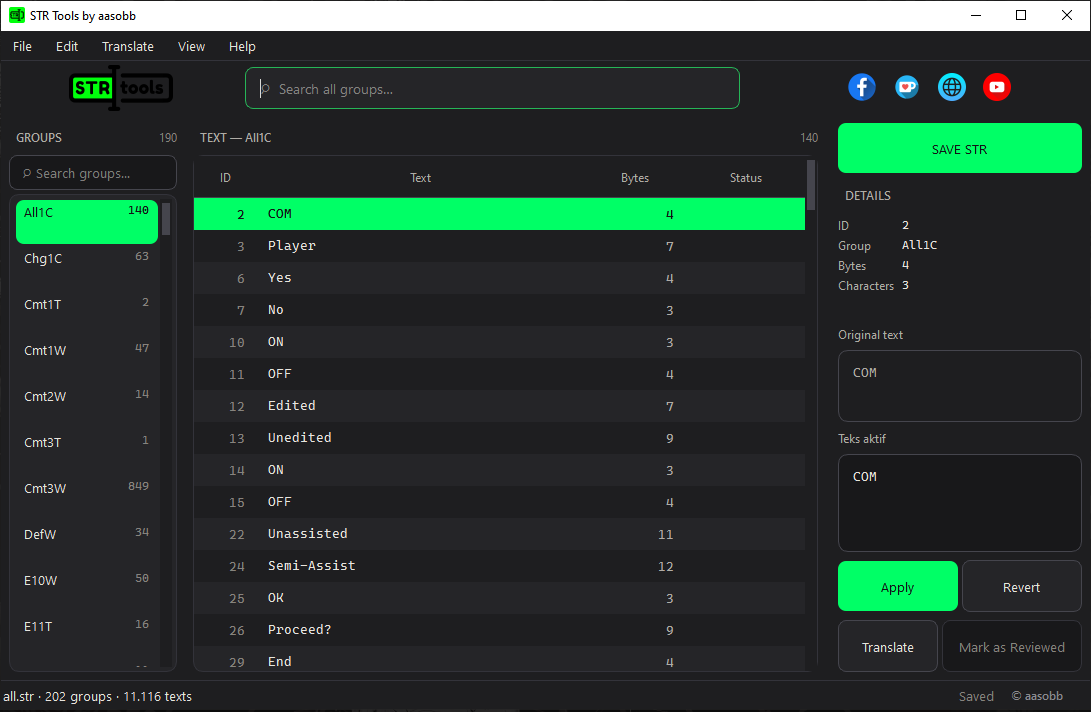
STR Tools by aasobb is a next-generation editor designed specifically for Pro Evolution Soccer (PES) translators and modders.
A single PES .str file contains up to 11,116 text entries divided into 202
groups. In legacy editors, finding a single text entry required manually opening groups one by
one without any search functionality.
Furthermore, legacy editors suffer from a critical 9.5% byte corruption rate when saving, caused by miscalculating controller button glyph sizes. STR Tools solves this issue completely!
.bak) files.
See how STR Tools streamlines your PES game text modding workflow.
Everything you need to edit PES game texts comfortably and efficiently.
Search words, phrases, or specific IDs (like All1C#68) instantly across
11,116 texts without changing groups manually.
Translate thousands of text entries automatically directly inside the app, with built-in controller code protection.
Independent byteSize and charCount calculations guarantee exact file writing down to the byte, preventing game crashes.
Controller button symbols (like Triangle, Circle, R1) are displayed as clean, color-coded visual chips that prevent accidental deletion.
Never worry about typos or incorrect translations. Revert actions up to 200 steps back with complete peace of mind.
Export texts to CSV files compatible with Microsoft Excel for collaborative work, then import them back seamlessly into .STR format.
Get instant visual warnings if edited text exceeds length limits, preventing text truncation inside the game UI.
Every time you click save, the app automatically creates a backup .bak file
to protect your original files.
A modern, dark-themed user interface designed for comfortable viewing during long modding and translation sessions.
Four simple steps to edit PES .STR text files using STR Tools.
Drag & drop any .str file into the app window, or click File
→ Open File (Ctrl+O).
Press Ctrl+F on your keyboard and type a keyword. Click any text row to
inspect it in the right panel.
Type your translation in the detail edit box, or click Auto Translate for instant batch translation.
Press Ctrl+S to save. The application performs automatic safety checks and
updates your PES game file.
Copyright information and release details.